
Best visitor management systems: comparison 2026
Editorial comparison of visitor management platforms: usability, functionalities and selection criteria for modern workplaces.
By Aitor Tilla
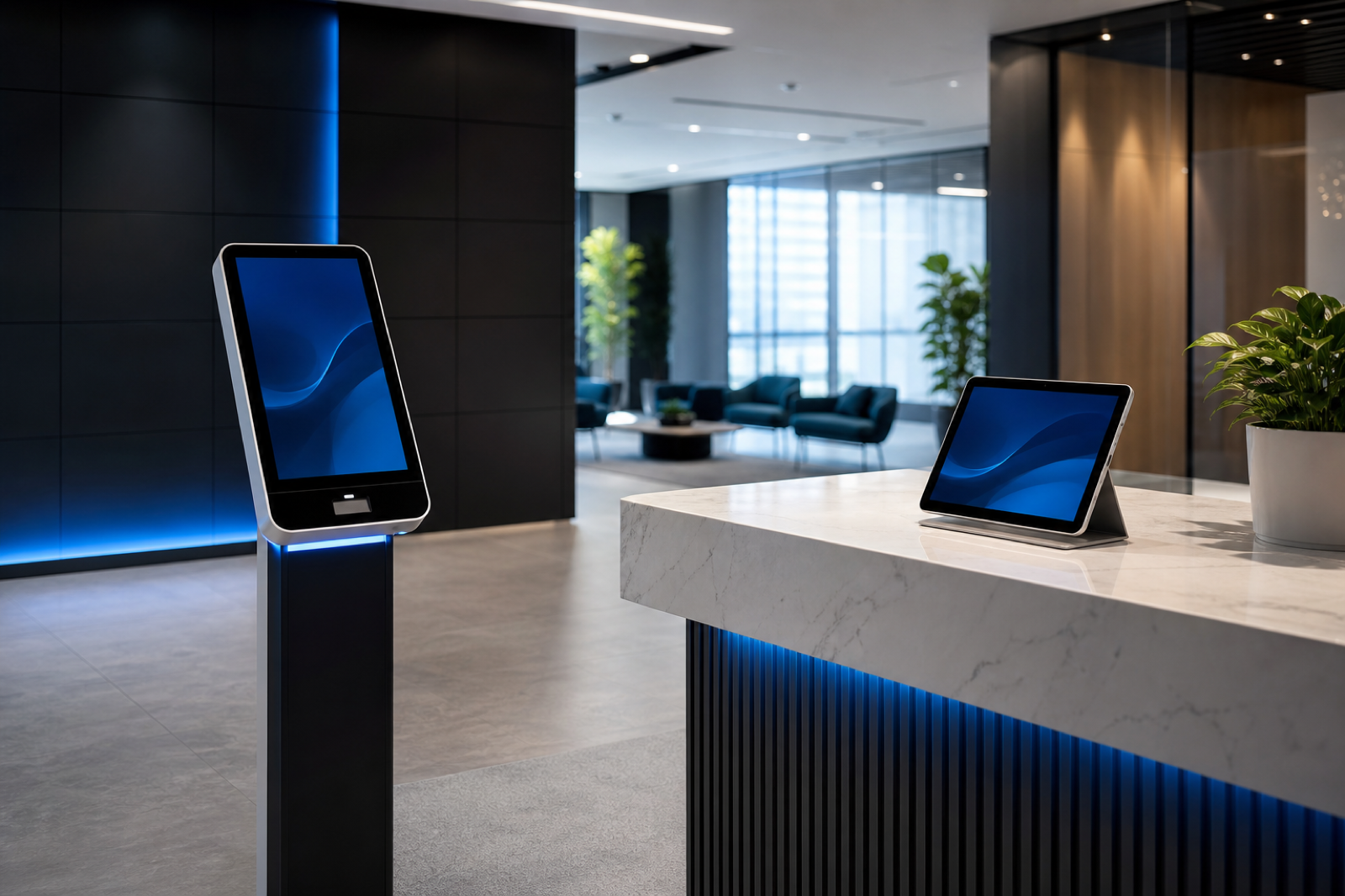
Choosing a visitor management system (VMS) goes beyond reading generic lists. Valuations, compliance requirements, and receipt flows vary widely from provider to provider.
This guide analyzes eight widely used platforms based on three criteria: aggregated user ratings, usability for visitors, and depth of functionality for administrators. Positions are based on published data and product documentation, not business relationships.
- Editorial analysis of usability, functionalities and integrations
- Usability from the perspective of the visitor and the host
- Administrative capabilities: regulatory compliance, integrations and security
Use the index to go directly to the sections most relevant to your organization. The methodology and sources are documented at the end of the article.
Evaluation criteria
Criterion #1: User Ratings
Review scores are most useful when you take into account both the volume of reviews and their recency. Strictly speaking, the first thing is usually the price, but then come the reviews.
A high rating based on fewer than 20 reviews provides little reliable information.
Early reviews often reflect the excitement of implementation rather than sustained product performance.
When the volume exceeds about 100 verified reviews, the aggregate scores usually stabilize. If a product accumulates hundreds or thousands of reviews, I can trust that the rating reflects the real experience of the majority of buyers, not that of a small, biased group.
At the same time, there comes a point where the number of reviews stops mattering as much. If one product has 1,000 reviews and another 2,000, for many teams that doesn't change anything.
Top Rated Visitor Management Software
Editorial ranking based on usability, functional depth and integrations. Does not use aggregates from third-party review platforms.
| Posición | Plataforma |
|---|---|
| 1 | Ronspot Flexwork |
| 2 | The Receptionist |
| 3 | Envoy Visitors |
| 4 | Facility OS |
| 5 | Castle |
| 6 | Greetly |
| 7 | Eptura Visitor |
| 8 | Lobbytrack |
I consider this factor especially relevant in visitor management systems because it is the closest we have to understanding real performance. That's why customer reviews may matter even a little more in a visitor app than in other workplace software:
Front Office Staff Experience
If the front office team perceives the system as clunky or unreliable, they will spend the day resolving issues instead of greeting visitors. User reviews reveal whether the platform makes your job easier or harder.
Visitor's first impression
The lobby is usually the first physical contact with your company. A confusing record or a crashing iPad sends the wrong message to clients, investors, and candidates. Reviews bring these friction points to light.
Reliability
When you're expecting a lot of guests for an event and the registration system goes down, you need support that responds quickly. Customer perception shows which providers truly deliver on their promises of care.
Hidden operating costs
A system that requires constant administrator intervention, frequent reboots, or manual shortcuts wastes time. Reviews from other administrators help detect these hidden costs that do not appear in feature lists.
Criterion #2: Usability
Beyond aggregate scores, product screenshots and workflow demos help you see if a platform fits your operational needs.
In visitor management software, this translates to the interface on both the user and administrator sides. To evaluate usability, I analyzed three aspects:
- Interface: Is the UI intuitive and modern looking for both users and administrators?
- Ease of use: Can users sign up quickly and without confusion, and can administrators find what they need without having to contact support?
- Device flexibility: Can companies use different tablets (iOS/Android) and can users register with QR codes?
The good thing is that most systems have very modern interfaces on the visitor side, so you won't have to worry about them getting lost.
But even in those cases there are differences...
This is the Envoy visitor app:
And this is Kastle's:
Personally, I think Kastle's interface looks dated and unappealing. The registration process may be as simple as other solutions, but it does affect brand image and making a good first impression.
In comparison, the Envoy looks much cleaner and more cared for, at least according to this evaluation.
Note: The person in the background in the Envoy image is a First Impression Coordinator - that's their actual title! So I bet that, for her, the appearance of the visitor app matters a lot, even if it doesn't affect usability.
Criterion #3: Features
There are key features, such as credential printing and host notifications, that should be in any software.
But this is where it gets complicated. Each company looks for different functionalities.
- A company may just want a simple system to register visitors and lighten the reception load
- Another may require very specific security and compliance capabilities.
- One may also want a complete booth booking solution, including visitor management.
- Another may prefer a turnkey approach to devices, without managing the technical part
My point is that there are many use cases, and each solution provides something extra, even if it lacks functionality that matters to you. The positive thing is that, in most cases, all systems cover the basics and are suitable for most scenarios.
That's why I focused above all on the main functionalities that these tools offer, taking into account the devices they support and the customization options. It's probably the most subjective factor, so let's look at the data to understand the logic behind it.
Analysis of the best visitor management systems
#1 Ronspot Flexwork
4.9/5
4.9/5
Strengths: Sleek interface and strong security features at a competitive price
Limitations: Limits on how to communicate with visitors when they arrive (possible via Teams, but especially before the visit)
What stands out: Emergency and security features are included in the Pro plan, they are not paid add-ons
Ronspot Flexwork Overview
Ronspot Flexwork is a comprehensive workplace management tool that also offers a complete visitor registration solution with all the core functionalities and many extras that I didn't find in other systems at this price.
I'm impressed that the platform includes security features like NDAs and e-signatures along with the usual stuff (badge printing, contactless check-ins, etc.), and also offers seat booking and room management as add-ons.
The interface, for both users and administrators, is modern and intuitive, which, as we will see below, is not always the case.
Me testing the app on an Honor Magic Pad 2
What sets Ronspot Flexwork apart:
Although its all-in-one approach is already a differential, Ronspot Flexwork stands out with a complete set of functionalities that offers solid security in the base platform. Their Pro plan includes SSO/SCIM, NDAs, access control integrations, and evacuation tools, most of which tend to be paid add-ons, even on the best platforms I've reviewed.
Detailed analysis of features:
- Guest Registration: Visitors can pre-register to expedite check-in. Many teams consider it key, because it saves a lot of time when several visitors come in at the same time.
- Contactless check-in with QR code: Visitors receive QR codes by email that they scan to register. Another highly valued feature, because it speeds up registration even further.
- Digital forms and electronic signatures: Visitors sign NDAs, liability waivers, and custom legal agreements when registering. The Ronspot Flexwork dashboard handles this very well, in this evaluation, and allows you to assign them to different types of visitors.
- Custom visitor flows: You can add different steps depending on the type of visitor. If someone comes for an interview, they will sign NDAs at the kiosk; a contractor can sign his contract there.
- Emergency alerts and presence lists: In emergencies, administrators can send instant alerts to everyone present by SMS or email. For me, it is one of the most important security features to protect visitors and employees.
- Detailed visitor logs: Ronspot Flexwork keeps logs of all visitors that you can filter by type of visit. Useful for regulatory compliance and reporting.
- Instant notifications to the host: A feature that I really like: the host receives an instant notification when a visitor registers, by email, SMS, Slack or MS Teams. It makes the experience much more fluid.
- Simple integrations: Native connections with Microsoft Teams, Slack, Outlook, Google Calendar and the main access control systems (Kisi, Salto, Brivo).
- Brand and interface control: Personalize the entire visitor experience with your logo, colors and welcome messages. Tailor badge templates, email notifications, and tablet screens to your brand.
Devices:
- iPads and Android tablets for visitor registration
- iOS and Android mobile apps for employees (optional)
- Web administration portal
Me testing the QR function for pre-registered visits.
Prices
Ronspot Flexwork offers 2 base plans and an enterprise plan for visitor management:
- Starter: $109 per office/month. Many teams consider it ideal for small and medium-sized organizations that want a robust registration system, with all the core functionalities (credential printing, host notifications, electronic signatures) and no visitor limit.
- Pro: $185 per office/month (annual billing). Combines premium features at a competitive price. Includes everything from Starter plus multiple locations, SSO and SCIM, emergency evacuations, branding, and advanced integrations.
- Enterprise: Custom pricing. It fits well into larger operations, with advanced functionality such as block lists, premium API support, and migration assistance.
Who Ronspot Flexwork is suitable for:
- Medium-sized companies (50-500 employees) that need visitor management along with booth or room reservation on a single platform. Evidence suggests that Ronspot Flexwork integrates these modules well and avoids managing multiple providers.
- Organizations with security requirements but without an enterprise budget. As I mentioned, Ronspot Flexwork includes in the base price NDAs, access control and compliance functionalities that the competition reserves for higher plans.
- Companies that prioritize ease of use and want an operating system in days, not weeks, with little reception training and minimal IT involvement
Additionally, Ronspot Flexwork integrates visitor management along with booth and room booking, reducing the need for multiple vendors.
It's also the #1 solution in SoftwareReviews' Emotional Footprint quadrant, which measures how customers feel about the product and the company as a whole, from purchase to support and beyond.
#2 The Receptionist for iPad
4.8/5
4.8/5
Strengths: All features are included in each plan, with prices that scale as you grow; In practice it fits very well for small teams that want a complete VMS
Limitations: Limited for security-intensive use cases: SSO costs extra and access control requires custom API work
What stands out: Two-way messaging between visitors and hosts, with responses visible on the kiosk screen
Overview of The Receptionist
The Receptionist for iPad is another visitor management system used by different companies for its simplicity and reliability. It only works with iPads, something that doesn't convince me at all, and the administration interface is not the prettiest. But what many teams value is that it offers all the main features at a fairly affordable price.
While writing this article, the platform was acquired by Sign In Solutions. The acquisition may mark a pivot, as they will likely begin to offer a more complete workplace platform with AI capabilities. It will be interesting to see how it evolves compared to tools like Ronspot Flexwork or Envoy, which already offer comprehensive workplace management.
The Receptionist offers complete packages of iPads with different enclosures and mounting brackets.
What sets The Receptionist apart:
When researching The Receptionist, one thing stood out in testing: it's very easy to use for visitors and easy to set up for administrators. Many teams consider it important because it is mainly used by small teams without IT resources to configure new tools.
In specific functionalities, there is a clear winner: two-way messaging. In most VMSs, the host receives a notification and little else. The Receptionist allows guests and hosts to communicate, so the host can give personalized instructions to individual visitors.
Detailed functional analysis
- iPad Kiosk: The Receptionist only supports iPads, which I don't particularly like, but it may fit your setup. Outside of that limitation, iPads cover all the main functionalities, which is a plus point.
- Two-way messaging: I repeat the star functionality: two-way messaging between hosts and guests. Hosts can respond directly when the visitor checks in, and I like how simple and fluid it is on the tablet.
- Pre-registration via email invitations: Hosts can send invitation emails prior to arrival. The invitation includes visit details, registration instructions, and legal documents to review in advance.
- Custom Flows: Button-based flows for different types of visitors: guests, interviews, deliveries, contractors, and employees. The administration part doesn't seem the prettiest to me, but it works and on the user side it looks very good.
- Customizable Legal Agreements: Like Ronspot Flexwork, The Receptionist allows you to create documents that guests sign during check-in. You can assign different templates to different types of visitors, which I find very usable.
- Employee PIN: Staff can clock in and out with a PIN for basic presence tracking. As a VMS functionality, it is useful in offices without seat reservations to know who is on the premises.
Devices:
- iPad as main registration interface (iPad only, no Android support)
- Web administration portal
Prices:
The Receptionist charges by location, with pricing based on how many employees receive visitors. All software features are included in all plans:
- Basic: $60/month for 1-24 employees
- Premium: $114/month for 25-49 employees
- Pro: $210/month for 50-99 employees
- Executive: $360/month for 100+ employees
SSO is available as a paid add-on.
Who The Receptionist is suitable for:
- Small and medium-sized companies (10-200 employees) that need a VMS that is operational now, so simple that temporary reception staff can use it without training
- Offices where the registry must be reliable and professional, but without the need for advanced compliance such as ID scanning or screening on watch lists
- Organizations with basic visitor management needs looking for an affordable price without sacrificing quality, reliability and rapid deployment
#3 Envoy Visitors
4.7/5
4.8/5
Strengths: Designed specifically for visitor management, with a finish and reliability that is difficult to match
Limitations: Premium pricing leaves it out of reach for small businesses on a tight budget
What stands out: Lots of security and compliance features with transparent pricing
Envoy Visitors Overview
I couldn't talk about visitor management systems without mentioning Envoy. It was one of the first platforms to really go for a cloud approach, and although it now offers complete workplace tools, its VMS, Envoy Visitors, is still among the best on the market.
Based on the demos I reviewed, the registration experience is very polished and the interface looks great: modern, easy to use, and intuitive. The only thing I'm not convinced about is that Envoy only supports iPads (although visitors can register with the mobile app, which is a plus).
The tests were done on iPad, since the app is not on Google Play
What makes Envoy Visitors different:
Envoy is distinguished by its track record as one of the best visitor solutions for years and by having powered a modern platform from the beginning. I could list several strengths, but the real differentials are its security features. Although many are reserved for the enterprise plan, something that does not seem ideal to me, I still positively value blocklists, ID scanning, registration with facial recognition and multi-site management.
Detailed analysis of features:
- Pre-registration and contactless check-in: Hosts pre-register visitors via email or calendar integration. This functionality exists in many VMSs, but I especially like that visitors can use QR codes in the Envoy app without going through the iPad.
- Photo capture and ID scanning: Visitors can take quality photos when registering for security and printing credentials. Envoy goes one step further with DNI scanning in high security environments, capturing data from the official document and verifying identity.
- Digital Legal Agreements: Visitors sign NDAs, confidentiality agreements, liability waivers, and personalized legal documents on the iPad. The system supports version control, conditional logic by visitor type, expiration and renewal reminders, and legally binding signatures with audit trail.
- Easy integration with communication tools: Envoy integrates with Slack and Microsoft Teams, with instant notifications and efficient communication between hosts and visitors. When a visitor registers, the host receives a notification through their preferred channel with a photo, reason for the visit and a button to open doors remotely if there is integrated access control.
- Advanced security features: Includes watch list alerts and photo capture for added protection. Screen visitors against custom lists, organizational blacklists, and security databases, with automatic alerts to security teams if a flagged person attempts to log in, essential in high-security environments.
- Access Control Automation: Like other VMSs, Envoy has native integrations with Kisi, Salto, Brivo, and Openpath. Visitors receive time-limited access to specific areas that expires at check-out or at the scheduled time, and security teams view access activity in real time along with employee activity.
- Visitor records and analytics: Detailed data on patterns, length of stay, peak times and visitor profile. Complete traceability of who visited when, with which host, how long they stayed and which areas they accessed through readers. Logs are searchable, filterable and exportable for compliance reporting.
- Multi-site management: Manage registration in unlimited locations from a central dashboard. Each site can have its own branding, forms, credential templates and access rules, with centralized reporting and security monitoring.
Devices:
- iPad App (main registration interface, iPad only)
- Mobile app for visitors (Android/iOS for pre-registration)
- Web administration portal
Prices:
Envoy offers plans adapted to different workplace needs:
- Basic: Free, includes unlimited visitors and host notifications, up to 50 employees. It is useful to try Envoy, although in practice there are better free and affordable options with many features for small offices with simple needs.
- Premium: $329/location/month (billed annually), includes branding, visitor photos, analytics, SSO, and directory integrations for a professional, data-driven experience.
- Enterprise: Customized pricing, with advanced features such as block lists, ID scanning, access control integrations, emergency alerts and scheduled reports for high security environments.
Note: until recently Envoy offered an entry plan much cheaper than Premium, but with fewer features. That plan is no longer available.
Who Envoy Visitors is suitable for:
- Organizations with security or compliance requirements that require audit traceability, access control automation, watchlist screening, and no-compromise legally binding digital agreements
- Medium and large companies (200+ employees) with high volume of visitors that need a system that does not fail at peak times, prioritizing reliability and support over the lowest price
- Companies with growth plans that want a platform that scales as they add locations, with proven enterprise-scale reliability and functional depth
#4 FacilityOS
4.7/5
4.6/5
Strengths: Easily integrates with other FacilityOS products.
Limitations:
Some "basic" functionalities of other systems are not in the base plan
What stands out: Includes managed hardware and software out of the box
FacilityOS Overview
VisitorOS (formerly iLobby, part of the FacilityOS suite) is a visitor management system designed to make workplaces safer and more organized. FacilityOS has other modules for contractors, emergencies, and deliveries, but I'm focusing on VisitorOS, which is the true VMS of the suite.
It is more aimed at environments with high security requirements that require all modules, but VisitorOS can work independently in offices or industrial facilities.
What makes FacilityOS different:
Of all the VMSs I've reviewed, VisitorOS is the only one that provides a managed iPad as a logging device. In practice, it fits well in environments with a lot of security, because it speeds up deployment and makes it more secure, but it can be a drawback for teams that want Android devices, sometimes cheaper.
In terms of security, the rest of the modules under FacilityOS help manage deliveries, contractors and emergencies, but they have a higher cost and include functionalities that you will also find in tools such as Ronspot Flexwork or Envoy.
Detailed analysis of features:
- Out-of-the-box visitor management software and hardware: All plans include a 10.9″ iPad with MDM (Mobile Device Management) and anti-theft support, with pre-configured hardware and software for easy deployment. I like that the team offers ongoing support and repairs for the iPads, which saves a lot of time.
- Pre-registration and notifications: Visitors can pre-register before arriving with email invitations with access details and instructions. In the base plan this is only as an add-on, but it is included in Enhanced. Hosts receive instant alerts via SMS, email or call when the visitor registers.
- Integration with Active Directory and SSO: The VisitorOS base plan includes integration with Active Directory and Single Sign-On, something that in other VMS is usually an add-on or only in higher plans.
- Personalization: VisitorOS offers basic options to customize the registration with your brand, in addition to videos and images. In practice it works well, although it is not as detailed as in other systems.
- Badge printing with templates: Professional printing with highly customizable templates. It is only as an add-on to the base plan, but included in Enhanced. Badges are printed in black and white, something many teams find unattractive. There is an add-on for color printers in the Enhanced and Enterprise plans.
There are also many add-ons for both base plans, such as:
- Scanning and verification of ID with photo
- Screening on watch lists
- Integrations with Slack and Microsoft Teams
Devices:
- iPad (10.9″) with MDM and anti-theft support (included)
- Web administration portal
Prices:
The Corporate plan starts at $199/month and includes everything you need to get started: a 10.9″ iPad with MDM, anti-theft support, and pre-configured hardware and software. It supports unlimited users and registrations and offers notifications by SMS, email or call, mobile app, integration with Active Directory, SSO and secure hosting in Microsoft Azure. It also includes ongoing support, hardware repairs, and training.
For additional features like contactless check-in, pre-registration, or badge printing, the Enhanced plan starts at $275/month.
It should be noted that, although prices start at around $199/month, many features are sold as add-ons. Several of them, such as color printers and integrations with communication tools, usually come in the base plan of most VMS, so in practice the cost can skyrocket for small and even medium-sized teams that need them.
Who VisitorOS is suitable for:
- Large companies in regulated sectors (finance, healthcare, public administration, defense) requiring enterprise-level compliance and security, including ID scanning, watchlist screening and flexible flows for strict requirements
- Security-intensive environments (corporate, industrial or government) that want ready-to-use hardware and software, without lengthy deployments or complex technical configuration
- Companies with dedicated facilities or security teams that can justify a higher price for comprehensive compliance, reliable hardware, and premium support
#5 Castle Systems
4.5/5
Strengths: Unified access control and visitor management, without third-party integrations
Limitations: Legacy software feel, with older technology stack and less polished interface
What stands out: A single provider for access control, visitor management and video surveillance at several locations
Kastle Overview
Kastle is a legacy software, less visually careful and less optimized for offices. It gives me a feeling of "old technology." Still, in practice it is fair to include it here: it is one of the most complete security tools and fits very well with certain corporations that need it. If you already use Kastle for access control, your visitor management integrates seamlessly because it's practically a single system that talks to itself.
What makes Kastle different:
Kastle is designed for organizations with high security requirements that want a single provider for access control, visitor management and video surveillance at multiple locations. Unlike the rest of the VMS mentioned, Kastle offers a complete security stack that can fit specific use cases (below).
Detailed analysis of features:
- Calendar-based invitations: Hosts can send invitations from Outlook or Google Calendar. What many teams appreciate is that the system syncs with Kastle access control, so specific visitors only access authorized areas.
- Automatic access QR codes: Guests receive QR codes by email to register. It's a fairly common feature, but I was surprised to see it here, because it usually appears in more modern VMSs. Without a doubt a functional plus.
- PINs for suppliers and delivery management: The host can issue unique PINs for deliveries and service providers, such as daily couriers, to facilitate receiving packages.
- myKastle administration portal: The web portal allows you to authorize visitors by entering names, view visitors of the day with time filters, consult history and reports with filtered views, and manage access permissions between locations. In practice the interface is somewhat dated, but it is functional and designed for security administrators, not reception.
- Multi-site management: Manage visitor access and security across multiple buildings, campuses, and locations from the central myKastle portal. Each site can have its own access rules with unified security oversight.
Devices:
- Reception Kiosks (Custom Hardware)
- KastlePresence mobile app (iOS and Android)
- myKastle web administration portal
Prices:
Kastle does not publish prices for its VMS or security solutions. You must contact their team and request a quote based on the number of locations and doors, as well as the necessary services and hardware. I don't like the custom price, but it is typical for enterprise level tools.
Who Kastle is suitable for:
- Organizations with high security requirements that want a single provider for access control, visitor management and video surveillance in many locations, eliminating the complexity of coordinating several vendors
- Multi-site companies that need unified security management on corporate campuses, office buildings or real estate portfolios, with centralized supervision and 24/7 SOC monitoring
- Companies with dedicated security teams that value reliability, good support and unified access management over interface polish, and can live with legacy software in exchange for extensive customization options
Honorable mentions
Greetly
Greetly is a visitor management system for small and medium-sized teams looking for an affordable, branded iPad check-in with a virtual receptionist feel.
What stood out the most in the tests was the customization. The entire registration experience can be tailored to your brand with a drag-and-drop editor, making the job much easier.
Also, I was surprised that Greetly offers two-way messaging, like The Receptionist: the host can communicate with guests right after check-in from the kiosk.
All plans include unlimited users, registrations and notifications. The Essential plan is $99/month (billed annually) and the Pro is $159/month (billed annually), with credential printing, two-way messaging, ID/driver's license scanning, and multi-kiosk support.
Greetly is a VMS that I will continue to review as I accumulate more reviews. It offers many enterprise features at a very competitive price. That's why the evidence suggests that it fits especially well in small and medium-sized offices.
Lobbytrack
Lobbytrack is a visitor management system designed for smaller organizations that want cross-platform flexibility and room to grow.
What caught my attention was the device compatibility. While most VMSs lock you into iPads, Lobbytrack works on iOS, Android, and Windows kiosks, so you can choose hardware based on your budget without being tied to a single ecosystem.
I also found it interesting how they manage the roles. Reception, employees and security staff have dedicated apps tailored to what they really need to see and do, reducing confusion and maintaining clean flows.
In pricing, there is a free plan with limited features, but it can also include all features if you have up to 20 visits per month, ideal for very small teams.
Prices depend on features: Starter (free, limited), Basic ($50/month/location), Professional ($100/month/location), and Enterprise (custom pricing), with advanced options such as ID scanning, watchlist screening, and evacuation tools on higher plans.
Eptura Visitor
Eptura Visitor (formerly Proxyclick) is an enterprise visitor management system for large, regulated, multi-site organizations willing to deploy a heavier platform.
What impressed me the most was the flow customization. The drag and drop editor allows you to create different registration processes for guests, contractors or deliveries without touching code, with a lot of flexibility.
Additionally, the compliance and security capabilities are very strong. Watchlist screening, ID verification, emergency protocols, access control integrations and detailed traceability are designed for regulated sectors in ways that simpler platforms do not cover.
Eptura Visitor has two main plans (Advanced and Power) with no public pricing. According to this research, estimates are around $7,500/year for the base configuration plus separate implementation fees, depending on configuration and integrations.
How to choose according to your needs
Ask yourself:
- Is visitor management your priority or do you also need to reserve seats and rooms? If you are looking for a complete workplace platform, consider Ronspot Flexwork. If you just want top-notch visitor management, check out The Receptionist or Envoy Visitors.
- How important are security and compliance? For regulated sectors that require watchlist screening and immutable traceability, FacilityOS is, in this evaluation, the best balance of usability and security features.
- Do you prefer managed devices or more flexibility? If you want hardware that arrives preconfigured and ready, FacilityOS includes it all. If you prefer to use iPads or tablets you already have, Ronspot Flexwork, Envoy or The Receptionist allow BYOD (although many vendors only support Apple devices, keep that in mind).
- What is your budget and company size? For SMEs (less than 50 employees) with basic needs, The Receptionist offers pricing from $60-$210/month. For medium-sized businesses (50-500 employees), Ronspot Flexwork at $109-$185/month offers the best features-to-price ratio. At the enterprise level you will probably end up with a personalized price, although in some solutions standard models still apply.
- Do you need a single provider for everything related to security? If you want access control, video surveillance and visitor management from a single vendor across multiple locations, Kastle eliminates the complexity of coordinating vendors with its managed security stack.
Final recommendation
For most organizations implementing visitor management, a practical shortlist includes Envoy, Ronspot Flexwork and The Receptionist. These three combine better reliability, usability and user satisfaction.
If you need enterprise-level regulatory compliance, add VisitorOS to your shortlist despite the greater complexity and cost.
If you are looking for a complete security solution, Kastle integrates access control and VMS within its security stack.
If budget is the main constraint, Greetly offers professional visitor management without enterprise pricing, and Lobbytrack and Envoy have limited free plans.
This research aims to reduce evaluation time and support a structured supplier selection process. Choosing a visitor solution may seem simple, but getting it right has a big impact on how visitors perceive your organization and how your operations operate. I recommend booking demos with your 2-3 favorite options to see which fits best and try out apps and admin panels if you can.
Methodology
More than 60 sources were consulted to prepare this content: corporate websites, product documentation, video demos and editorial comparisons of suppliers.
As in any research, this analysis may contain errors, but maximum accuracy of all information was prioritized at the time of writing. Since publication, suppliers may have modified their offer.
All data was collected between January 10 and 27, 2026. Additional time stamps will be included in the methodology in future updates.
If you have comments about this content, please contact HSU Media with corrections or updates.
About the author
Aitor Tilla is a collaborator at HSU Media. This article was researched and published to help teams evaluate workplace and productivity software. Last update: June 2026.